|
|
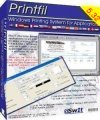 This software allows character based
applications to print to any Windows
printer, including USB, GDI, IP network
printers, fax printers and PDF
writers, even if it is a Dos/Windows
application or a Unix/Linux program running
on a Windows PC via telnet, without changes to
the original applications. This software allows character based
applications to print to any Windows
printer, including USB, GDI, IP network
printers, fax printers and PDF
writers, even if it is a Dos/Windows
application or a Unix/Linux program running
on a Windows PC via telnet, without changes to
the original applications.
You can set your application to print to an ascii
file, or you can let Printfil automatically capture one or more
parallel port and serial port (even from LPT1: to LPT9: and from COM1: to COM9: simultaneously), and redirect your print jobs, even if a printer is physically connected to the
captured port or no LPT ports and COM ports are physically installed on your machine
In
addition, it will allows you to:
- preview
printing
- include logos
or background images stored in
separate files
- colorize
the text
- print A4 landscape
sheets in place of printing on dot-matrix
136-column printers
- print to ANY
printer installed in the Windows Control Panel,
including USB, IP, GDI,
Windows-only and Virtual
printers
- send print jobs via
fax (using any third-party fax
software which acts like a printer - eg.
Microsoft Fax - or a multifunction - all-in-one -
printer)
- print to networked
printers without having to
"NET USE" a LPT port
- use specialist
windows fonts (barcodes,
for instance) in addition to normal characters in
Ansi (Windows) or your own OEM
(DOS Codepage) conversion
- export print jobs
in PDF and PDF/A format, with or without
user intervention, even with encryption
and password protection
- send print jobs via
e-mail by using your own e-mail client
program or your ISP's SMTP server, with or without user
intervention
- use a single,
customizable set of escape
sequences for ALL
printers, regardless of make, model and emulation
provided (or no emulation at all, as for Virtual
and Windows-only printers)
- print complex
jobs to legacy printers in RAW mode
(including drawings and graphics)
without going through the Windows driver and
without changing the original data flow
- print graphical HP-PCL and PostScript
jobs to any Windows printer, even if it's NOT PCL or PostScript capable
(including virtual printers, like PDF writers)
- directly print PDF
files (provided in input) without user intervention,
even if the destination printer doesn't support
Direct PDF Printing natively
- archive
a copy of all the captured jobs in a directory
of your choice for backup purposes or easily reprint the jobs later on
- print your jobs to multiple
printers simultaneously
- easily print PRN files, PDF, PCL and PostScript files; by either "drag & drop" or without
user intervention, through the Windows Command Prompt
- and other
interesting features.
All this without changes to your applications.
If you are developing host based
applications (like Unix) to run on a Windows Terminal
Emulator, you can stop battling with transparent-print
characters and different settings for different printers.
All you need is a shared file system (NFS, SCO-VisionFS,
Samba and others) to store output for your print jobs and
PRINTFIL.
In the Printfil Examples
page you can find some working configurations.

|
|
|



 How to print from DOS PRN, LPT1: to Windows printers: USB, Wi-Fi, PDF
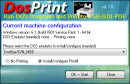 Run DOS programs on Windows 64-bit through DOSBox / vDos and print to USB, GDI, PDF printers through Printfil