Can Printfil capture DOS print jobs on a 64 BIT Windows system ?Printfil DOES work on 64 bit Windows OS's (just like any true 32 bit Windows program). It can either capture COM/LPT ports or print jobs stored by the source program directly on a disk file. So, if your source program is a Windows Console 32 bit application, or a Linux/Unix program running on the Win64 computer through a Telnet emulator, then your print jobs will be captured without particular issues. If instead you're using a 16 bit program, like DOS, or a very old Windows application, than that program will NOT work at all on a 64 bit OS (printing issues apart) because 64 bit Windows systems can no more run 16 bit programs. For this reason on a 64 bit Windows system those old programs are usually run through a DOS emulator or a virtualization software DOS EmulatorDOS emulators (like DOSBox, vDos, vDosPlus, TameDOS etc.) provides an easy way to run a DOS program on a 64 bit machine. They looks like the standard Windows Command Prompt, but they translates the 16-bit DOS calls in the 32/64-bit Windows counterparts. If the DOS program can "print to file" itself, or the emulator correctly redirects the LPT1 port calls (where most the DOS programs are hardcoded to send their print jobs) to the LPT1 device of the 64bit machine, then those emulators can be a valid choice. If instead the DOS program can ONLY print to a LPT port, and the emulator doesn't support LPT redirection (like DOSBox 0.74 Standard), then the dos print jobs will be "eat" by the emulator itself and Printfil will never receive anything to capture. In this case you can install a DOSBox variant that does support LPT ports (like DOSBox-X, DOSBox SVN Daum, DOSBox MegaBuild or vDos / vDosPlus), otherwise a virtualization software is the only choice to have the DOS program printing on the Win64 machine.
Virtualization softwareThere are several virtualization programs, like:
Virtualization programs allow you running a 16 or 32 bit OS (for example Windows XP) on a virtual machine (usually named "Guest") "inside" the real 64 bit machine (usually named "Host") If your old program running on the "Guest" virtual machine can "print to file" itself, and the guest filesystem is visible by the "Host" machine, then Printfil can be simply installed on the Host 64bit machine and setup to capture directly that file (by the "File to check" field at Configuration -> Standard) If instead the legacy program just prints to a LPT port, then most probably Printfil should be installed on the "Guest" machine too (rather than the 64bit Host) because some of those virtualization programs don't redirect the Guest LPT calls to the Host machine, but keep the 2 LPT devices separate (just like the Host and the Guest machine would really be 2 separate hardware machines) This is the case of the "XP Mode" included in Windows 7 for example. Both the DOS program and Printfil must be installed in the virtual "XP mode" desktop (Guest) of the 64 bit computer (Host) otherwise Printfil would capture the LPT1: port of the Host 64 bit computer while the DOS program would be sending its jobs to the LPT1: port of the Guest machine (that's a different LPT1: port). This also means that a DOS program printing to LPT1: on "XP Mode" cannot be run as a published application on the Win7 desktop, but must be run through the "XP Mode" desktop (where Printfil is running too). Please find more info about "XP Mode" and published Windows 7 applications at the Microsoft link above. 
|
|||||
17 Aug 2023
|
|||||
How do I capture DOS print jobs on Windows 64 bit ?
Windows Printing System For Applications


 How to print from DOS PRN, LPT1: to Windows printers: USB, Wi-Fi, PDF
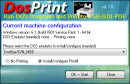 Run DOS programs on Windows 64-bit through DOSBox / vDos and print to USB, GDI, PDF printers through Printfil
Facebook ★★★★☆ (4.9/5) on 41 reviews